See the transcription tools
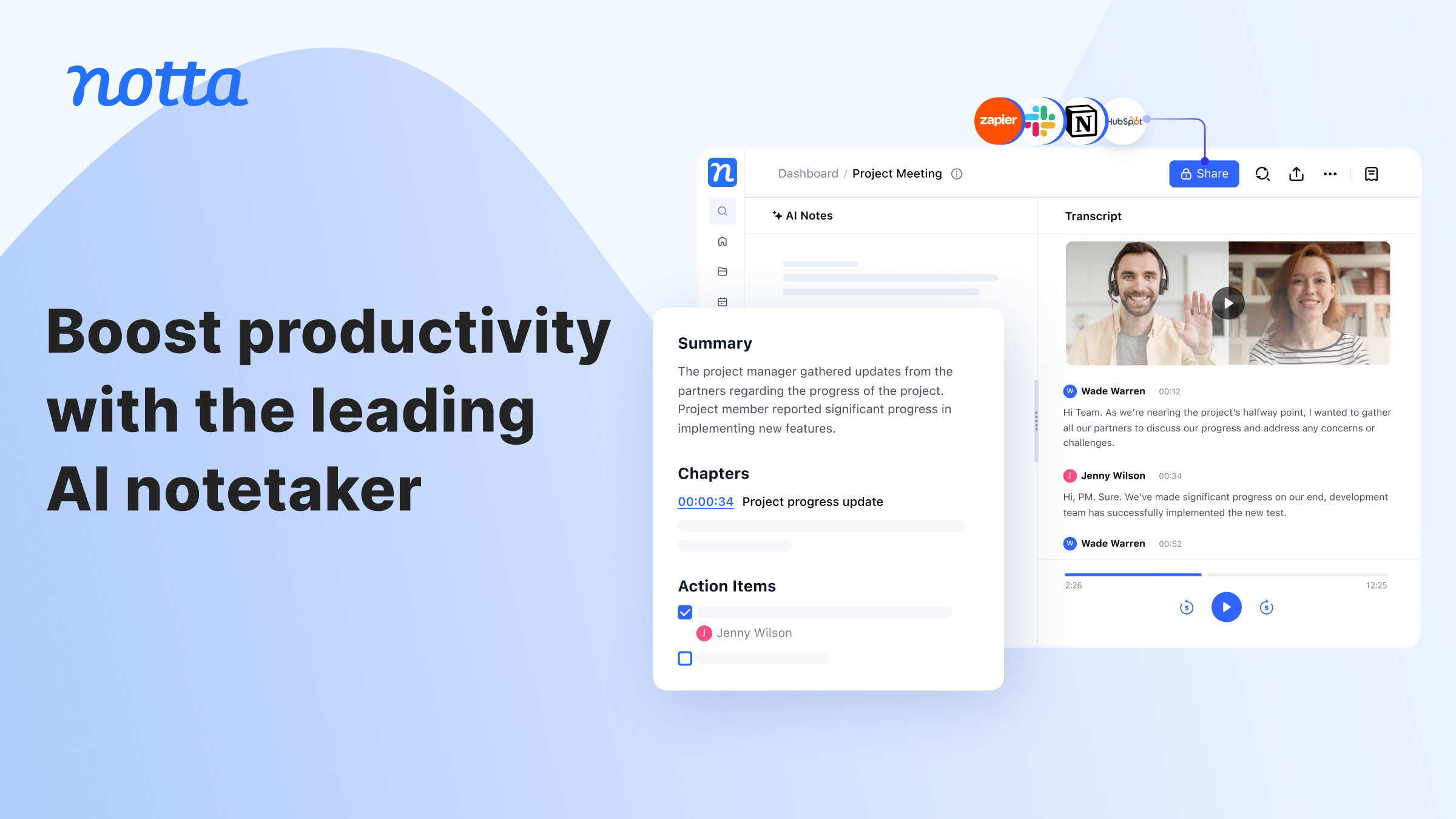
Images come from the providers' official websites. Interfaces and features may change.
All three services turn speech into text, but the useful distinction is what happens before and after transcription. Meeting teams may prioritize capture and searchable notes. Researchers may need timestamps and fast correction. Video teams may need subtitles, translation, and publication-ready exports.
The safest choice is the tool that produces an acceptable, reviewable output from your real audio with the least total effort. A feature list is a shortlist—not proof of accuracy for your speakers, microphones, languages, terminology, or room conditions.
Quick verdict
Start with Notta when
You want a meeting-and-recording workflow across web and mobile, with searchable transcripts, summaries, speaker handling, sharing, and several exports. Official documentation currently lists 58 monolingual transcription languages.
Start with Transkriptor when
You want a focused workspace for recorded or uploaded audio and video, correction, summaries, collaboration, and export. Confirm current language, integration, file-limit, and plan details.
Start with HappyScribe when
Your work centers on multilingual transcripts, subtitles, translation, or an optional human-service path. The provider documents 150+ languages across its product, but coverage varies by feature.
Side-by-side comparison
| Decision | Notta | Transkriptor | HappyScribe |
|---|---|---|---|
| Strong first use | Meetings, live or uploaded recordings, searchable notes. | Audio/video transcription and editing. | Transcripts, subtitles, translation, media localization. |
| Language check | 58 monolingual transcription languages are currently documented. | Verify the exact current list for the feature you need. | 150+ languages across the product; feature coverage varies. |
| Speakers | Identification is documented, with conditions by capture method. | Test separation and relabeling on your own audio. | Test diarization, overlaps, and subtitle handling. |
| Exports | Help pages list TXT, DOCX, SRT, PDF, XLSX, and media options under documented conditions. | Confirm formats, timestamps, speakers, and plan access. | Strong transcript/subtitle focus; verify format and styling. |
| Human review | Required for facts, summaries, and tasks. | Required for terms, quotations, and final records. | Required for AI output; professional services may be available. |
Who each tool is likely to suit
Notta: meeting capture and reusable notes
Notta deserves a first test when the source is a live conversation or recurring meeting and the output becomes a searchable transcript, summary, or shared record. Its official pages document web, mobile, browser, import, speaker, summary, translation, and download workflows. Availability can depend on plan and capture method.
Transkriptor: focused transcription operations
Transkriptor may fit teams that import or record audio and video, correct text in one workspace, prepare notes or summaries, and export the result. Test how quickly reviewers can find errors, replay sources, relabel speakers, search text, and preserve corrections.
HappyScribe: subtitles, translation, and publishing
HappyScribe is a logical candidate when the transcript becomes captions, subtitles, translated media, or a publication asset. Its help center separates AI transcription, subtitles, translation, AI meeting notes, and human services; language availability can differ by workflow.
Run one fair test before buying
- Choose a permitted sample. Use the same 10–15 minute recording with two speakers, names, numbers, terminology, a decision, and a deadline.
- Write an answer key. Record the facts that must appear correctly.
- Keep settings comparable. Use the same language and equivalent speaker settings.
- Review the transcript first. Count meaning-changing errors and replay important details.
- Review summaries separately. Check that suggestions did not become false decisions or tasks.
- Export the real deliverable. Test timestamps, speakers, subtitles, or editable documents.
- Measure total effort. Include setup, processing, correction, formatting, sharing, and approval.
| Criterion | Evidence | Weight |
|---|---|---|
| Material accuracy | Wrong or missing names, numbers, terms, and meaning. | 30% |
| Correction effort | Reviewer minutes and editing ease. | 20% |
| Workflow fit | Capture, collaboration, summaries, subtitles, integrations. | 20% |
| Export quality | Formats, timestamps, speakers, line breaks, preserved edits. | 15% |
| Governance | Consent, access, retention, deletion, security. | 15% |
Consent, privacy, and review
- Obtain required recording and transcription permission.
- Do not upload sensitive material until the provider and use have been approved.
- Review current security, processing, storage, retention, deletion, and sharing terms.
- Check names, amounts, dates, quotations, decisions, owners, and deadlines against the source.
- Review subtitles for meaning, timing, line breaks, reading speed, and speaker changes.
- Verify current plans, limits, language coverage, integrations, exports, and pricing.
Use the transcript-to-action-items checklist for approvals and the subtitle workflow for multilingual video.
Frequently asked questions
Which transcription tool should I choose?
Shortlist by workflow, then test the same recording. Choose acceptable accuracy, low correction effort, required exports, approved data handling, and sustainable cost.
Can an AI transcript be used without review?
No. Verify important content before a transcript, summary, quotation, subtitle, or task list is relied upon or published.
Which option is best for subtitles?
HappyScribe is a strong first candidate when subtitles and translation are central. Still compare exact language coverage, timing controls, exports, reviewer effort, and plan terms.
Which option is best for meeting notes?
Notta is a logical first test. Also compare Transkriptor and HappyScribe for capture, speakers, summaries, integrations, permissions, and reviewer time.
Official documentation checked
Notta transcription; Notta languages; Notta exports; Transkriptor official site; HappyScribe languages.