See Creao AI before you evaluate it
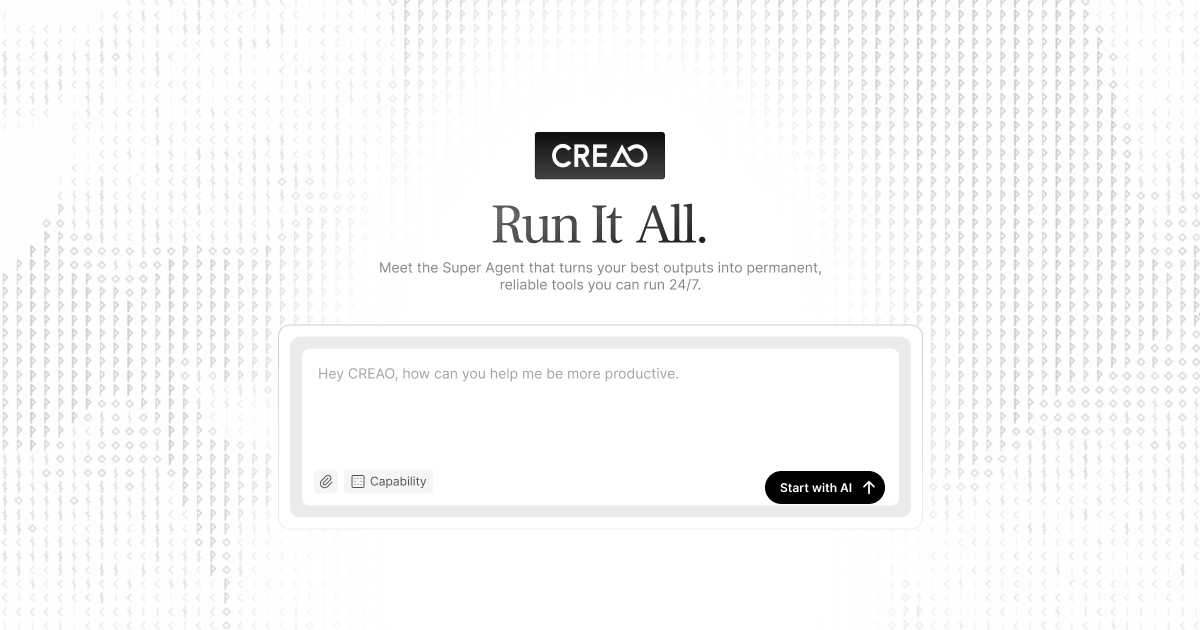
Quick answer: Creao AI is worth evaluating if you want one conversational workspace to coordinate several business tools and produce finished work. The provider describes connections to Gmail, Slack, GitHub and more than 30 tools, alongside reusable AI apps, browser tasks, scheduled runs, documents and media generation. That breadth makes permission design and output review as important as generation speed.
This is a research-based guide using the program information available on October 3, 2026. We have not completed a controlled hands-on benchmark. Product features, integrations, limits and pricing can change, so confirm the current plan before purchasing.
What problem is Creao AI designed to solve?
Many AI tools create one output at a time. An agent platform aims to coordinate a sequence: read permitted information, prepare a document, update a task, generate supporting media, or schedule a later run. The value is not the number of integrations on a product page. It is whether one repeatable workflow finishes with less manual coordination and without introducing unacceptable access or review risk.
Start with one narrow process you already understand. Good candidates include turning a permitted meeting transcript into a reviewed action list, converting approved research into a draft brief, or preparing a weekly internal summary from a controlled set of sources.
| Evaluation area | What to test | Pass condition |
|---|---|---|
| Connected tools | Connect only the minimum account and scope needed for the test. | You can explain what the agent may read, create, change, and send. |
| Workflow reliability | Run the same approved brief three times. | The required steps finish consistently, with failures visible rather than hidden. |
| Output quality | Check names, numbers, links, owners, deadlines, and source support. | A reviewer can approve the result without reconstructing the whole task. |
| Human control | Separate draft creation from external sending or irreversible changes. | A person approves sensitive actions before they happen. |
| Total effort | Record setup, correction, review, and exception-handling time. | The complete workflow improves on your current process. |
A useful first test: research brief to reviewed action plan
- Choose a low-risk business topic and prepare five approved source links. Do not use confidential client data for the first test.
- Ask for a one-page brief with a fixed structure: objective, evidence, assumptions, risks, and next actions.
- If an integration is needed, grant the smallest practical permission. Avoid mailbox-wide, workspace-wide, or repository-wide access unless the workflow truly requires it.
- Run the task and record the time, failed steps, unsupported claims, and manual corrections.
- Repeat with the same brief. Compare structure, factual consistency, citations, and whether the same workflow steps completed.
- Only after both drafts pass review should you test a scheduled run or a connected action. Keep external messages and destructive changes behind human approval.
Measure the whole process, not only generation time. Include setup, permissions, correction, review, and recovery from a failed step. A fast draft that needs extensive checking may not improve the business workflow.
Permissions and privacy checklist
- Use minimum access: connect a test account or restricted workspace when possible.
- Map the data: identify what enters the system, where outputs are stored, and who can retrieve them.
- Protect third-party information: obtain the necessary permission before processing recordings, messages, customer records, or proprietary code.
- Review retention and deletion: confirm the provider’s current policy and your organization’s obligations.
- Keep approval gates: require a person to approve payments, access changes, public publishing, and outbound communications.
- Prepare a fallback: document how the team completes the task if an integration or scheduled run fails.
Who should shortlist Creao AI?
Small teams with repeated multi-step work may benefit when several tools must be coordinated for every cycle. Operators and consultants can evaluate reusable workflows for research, reporting, content preparation, or internal administration. Technical teams should test repository and developer-tool access in a restricted environment before allowing changes to production systems.
A single-purpose product may be a better choice when one task dominates. For transcription and meeting notes, compare dedicated tools such as HappyScribe. For a complete brief-to-video draft, review InVideo AI. An agent platform should earn its place by improving the connected workflow, not merely by combining feature labels.
Questions to answer before buying
- Does the plan include the integrations and scheduled runs required by the actual workflow?
- What usage, model, storage, automation, or seat limits apply?
- Can administrators restrict permissions and remove a connection quickly?
- Are activity history, failures, and externally triggered actions visible to reviewers?
- What happens to saved workflows and data after cancellation?
- Is the monthly saving larger than setup, review, and exception-handling time?
Frequently asked questions
Can Creao AI replace a human operator?
Do not design the first workflow on that assumption. Use the agent for defined steps and keep human review for factual accuracy, sensitive data, external communication, access changes, and irreversible actions.
Should I connect Gmail, Slack, and GitHub immediately?
No. Start with the minimum integration needed for a low-risk test. Expand access only after the workflow, permission model, and review process are understood.
Is Creao AI the best option for every AI task?
No single tool fits every job. Compare it with focused products using the same source material, expected output, review standard, and total workflow cost.
Next step
Choose one controlled workflow, define the pass conditions before connecting data, and evaluate the finished result over repeated runs. Confirm current features, integrations, pricing, privacy terms, and plan limits on the provider’s website.